 MeatLog by Marshun Solutions
Scan the case label
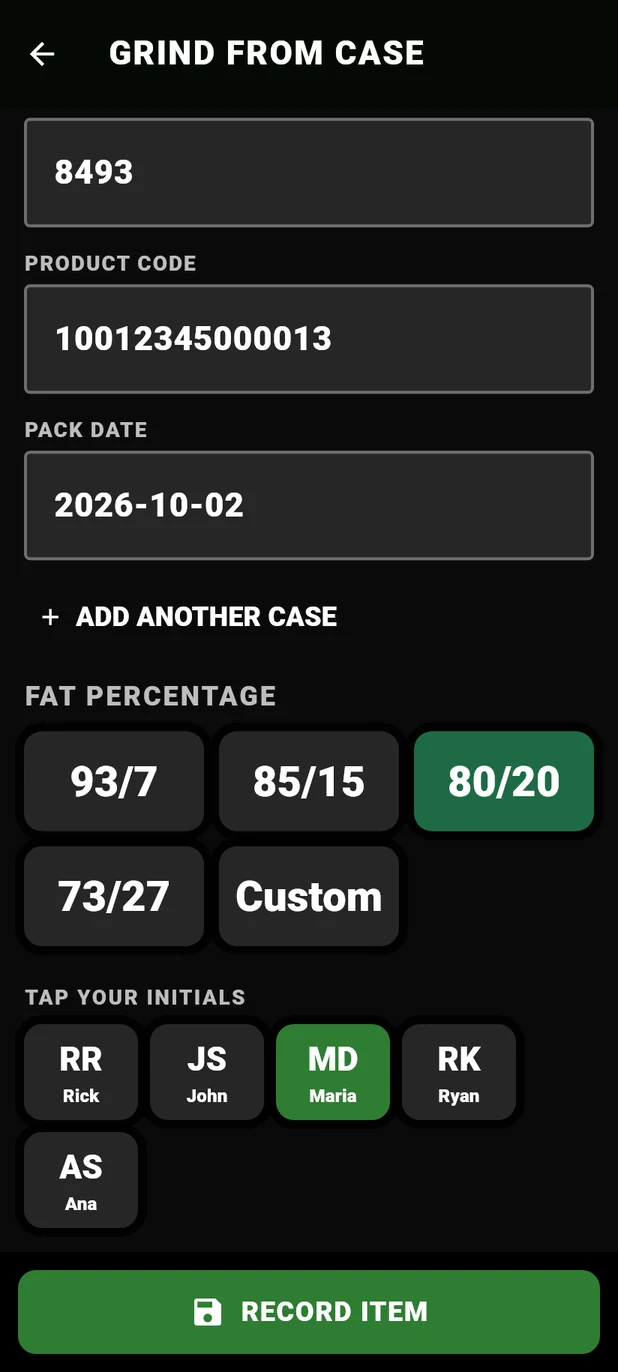
Point the camera at the box. MeatLog reads the GS1-128 barcode and the printed label for the item, packer, EST number, lot, product code and pack date. Anything it can't read turns yellow to type in.
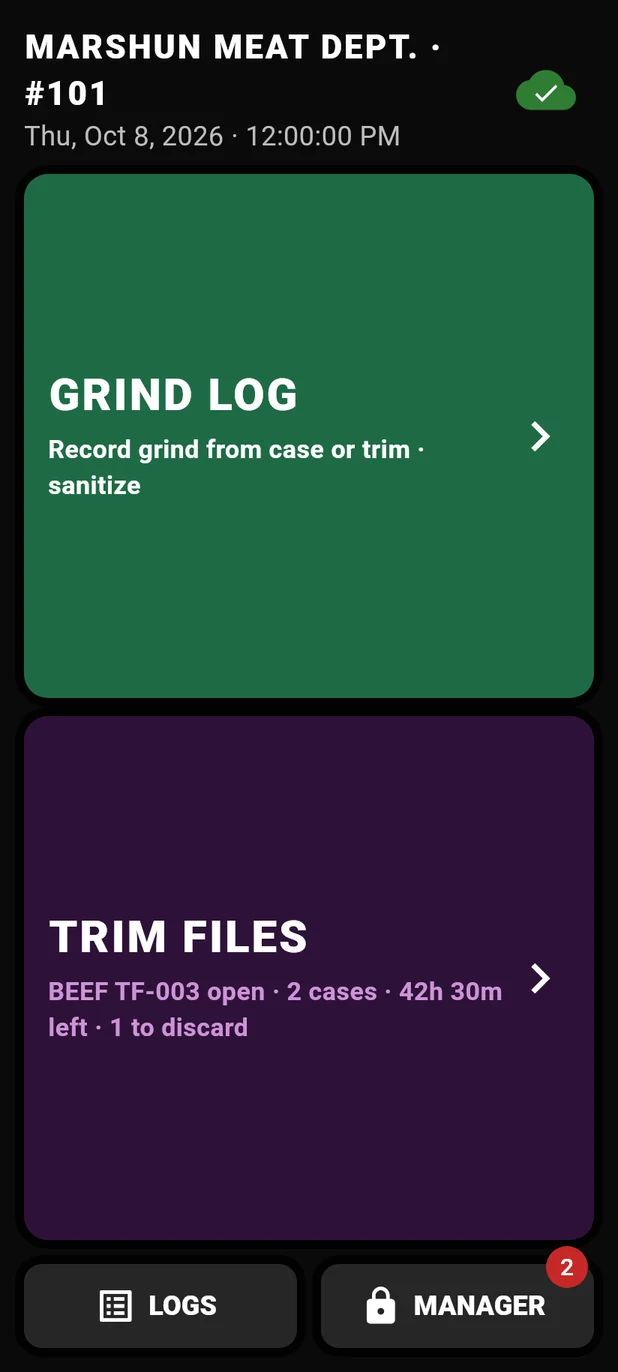
MeatLog replaces the paper grind log. Cutters scan the case label, tap their initials and record the grind. Every batch traces back to its source cases, trim and the last cleaning, ready for an inspector or a recall.
7-day free trial, then $30 a month per department. Android phone or tablet. Cancel anytime and keep your records.
MeatLog records everything the USDA FSIS ground beef rule requires of stores that grind raw beef: where every case came from, when each batch was ground, and when the grinder was cleaned. All of it is signed, timestamped and ready for an inspector.
Point the camera at the box. MeatLog reads the GS1-128 barcode and the printed label for the item, packer, EST number, lot, product code and pack date. Anything it can't read turns yellow to type in.
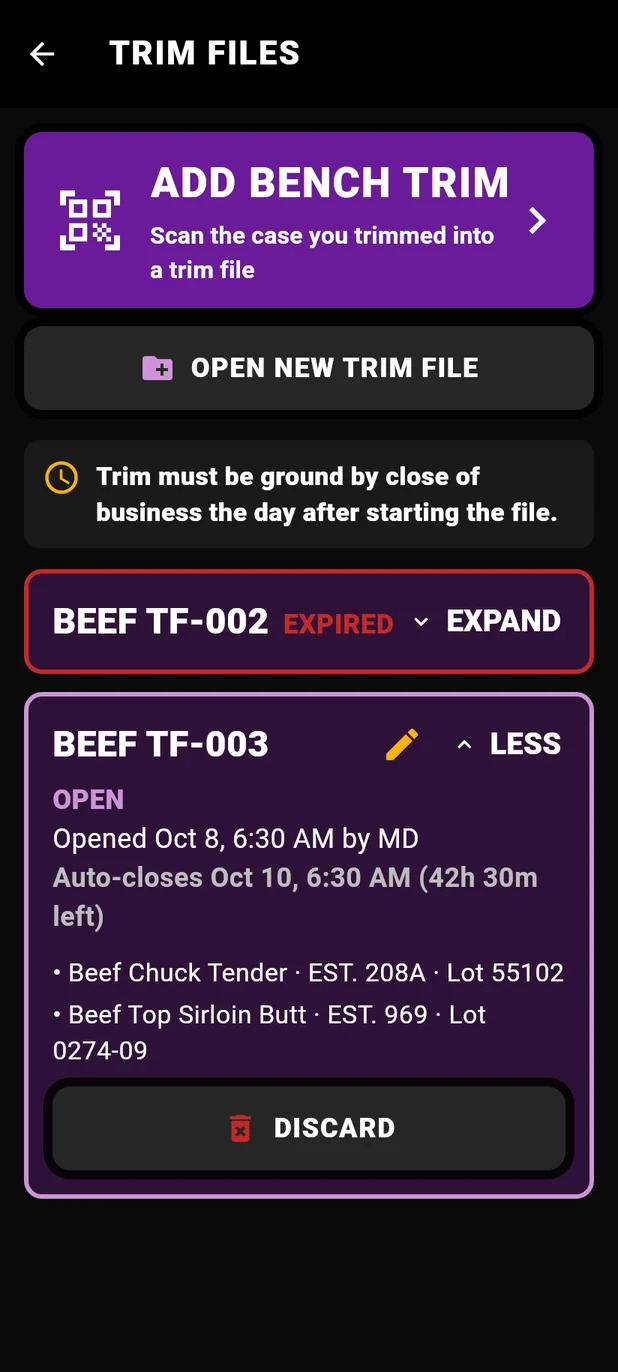
Bench trim and lean cases go into a trim file. When it's ground, the grind lists every case inside it. Files close themselves after the next business day, so old trim can't sneak into a grind.
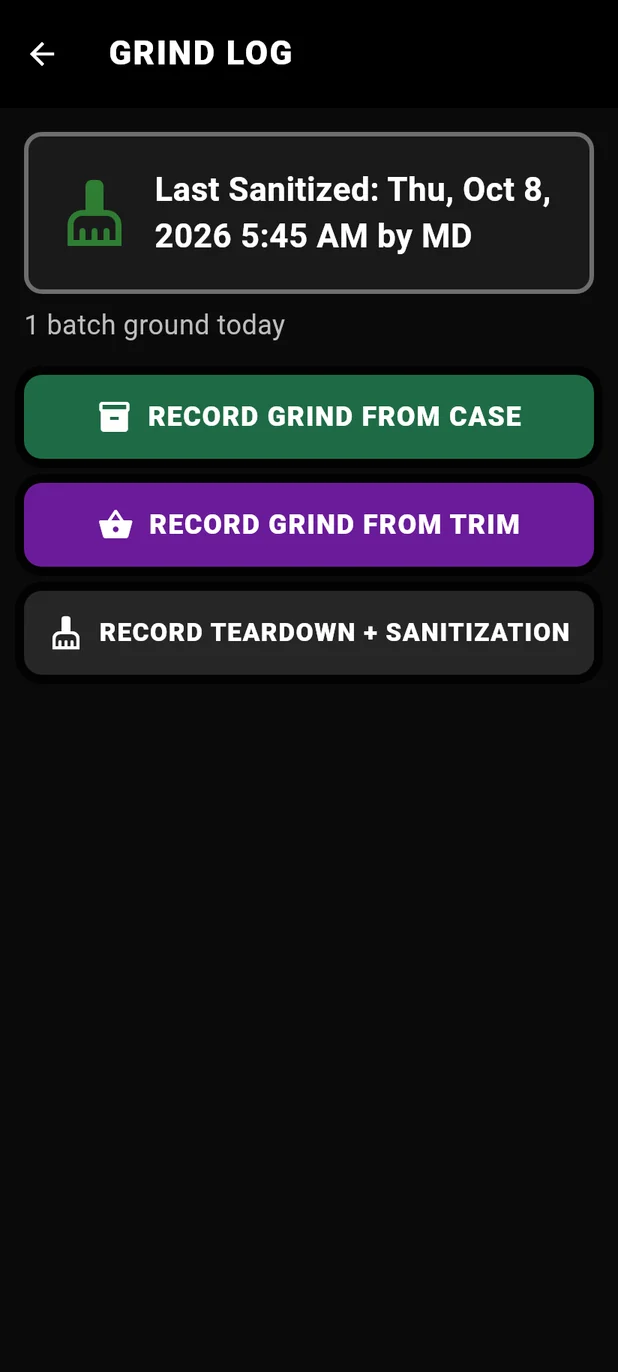
One tap logs a teardown and sanitization with the phone's own clock and the cutter's initials. Each grind shows the cleaning that came before it.
Anyone can correct a record, but they pick their initials and say why. The original stays on file next to the change, so the log never quietly changes.
A case past your department's shelf-life limit gets a warning before it goes in the grinder, so someone checks with a supervisor first.
Records are saved on the device the moment they're made and uploaded when there's a connection. A walk-in cooler with no signal doesn't stop anyone.
Sign up on this site, add your meat departments and subscribe. One account covers every store you run.
Install MeatLog on an Android phone or tablet, sign in and pick the department. A short setup adds your store details and your cutters' names and initials.
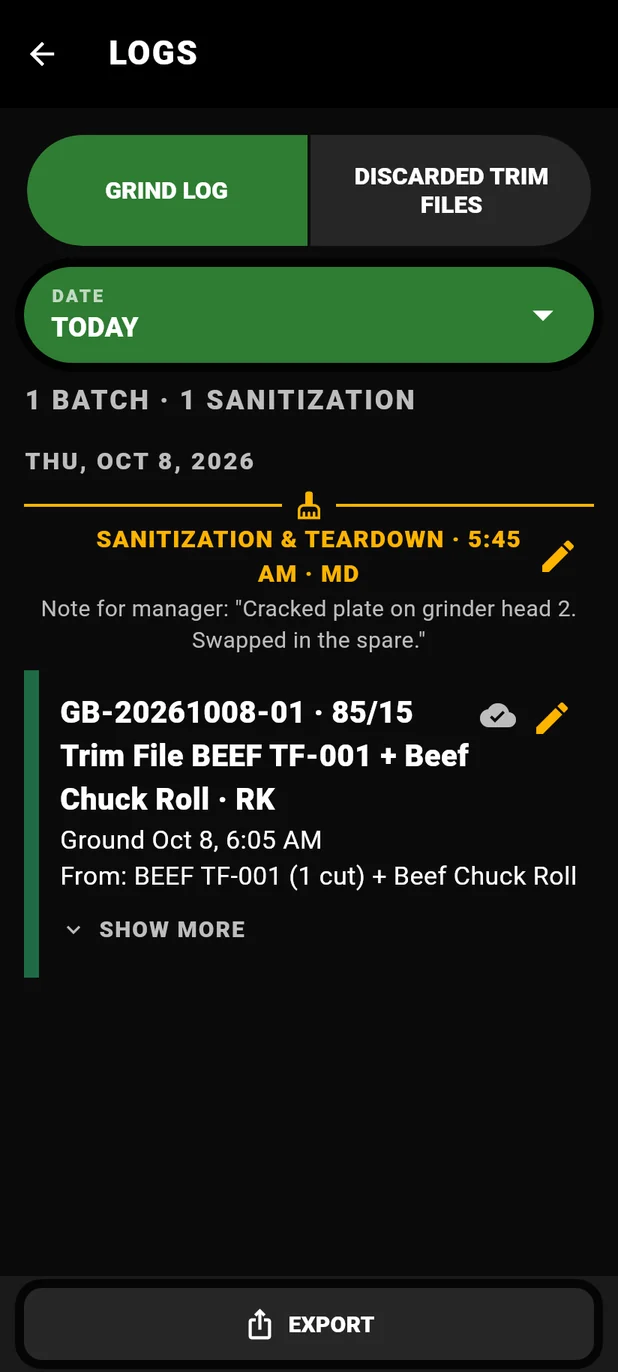
Record the grind from a case or from a trim file, tap your initials, and you're done. The log builds itself and stays ready to print.
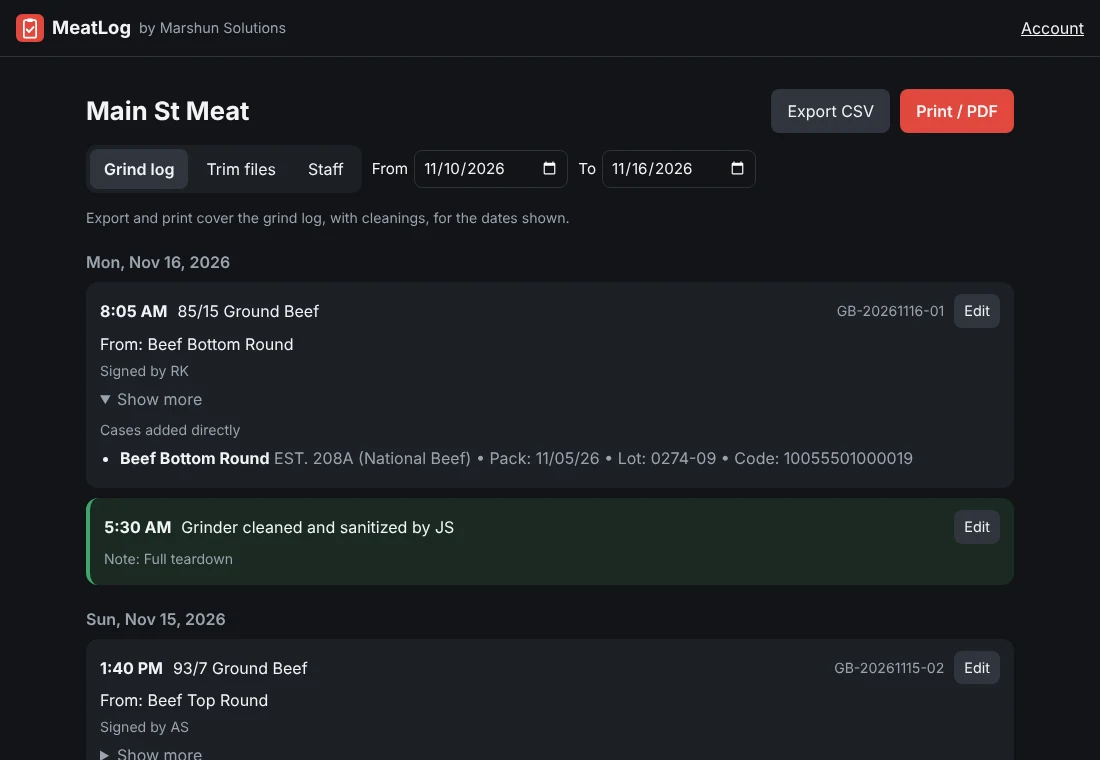
Sign in on this site to review each department's grinds, cleanings and trim files without walking to the counter.
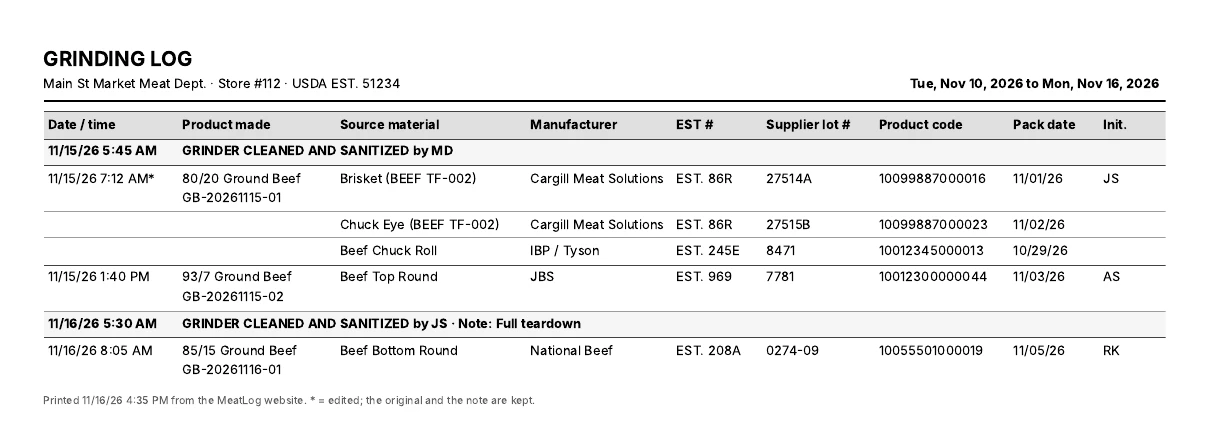
Date and time, product made, source material, manufacturer, EST number, supplier lot, product code, pack date and initials, with every cleaning in line. Edited records are marked, and the original is kept.
Every feature is included. Try it free for 7 days. No setup fees, no per-user charges, no contracts.
For a single store's meat department.
For chains and owners with several stores.
Your first 7 days are free, and you won't be charged if you cancel before the trial ends. Then billed monthly through Stripe. Sales tax is added where it applies. If you cancel, your logs stay viewable and exportable.
Yes. MeatLog records all of the information the USDA FSIS ground beef recordkeeping rule (9 CFR 320.1(b)(4)) requires of retail stores that grind beef: the establishment number, supplier lot and production date of every source, the name of every product that went into each grind, including trim carried over from earlier batches, the date and time of every grind, and the date and time of every cleaning and sanitizing of the grinder. Every entry is signed with initials and timestamped, and the whole log prints in seconds for an inspector or an audit.
Every grind, from a case or from trim, with its date and time, the product made, the fat %, and who made it. Every source case with its item, manufacturer, EST number, supplier lot, product code and pack date, read straight off the label. Every trim file, with each case and bench trim added to it, when it was opened and closed, and by whom. Every teardown and sanitization, on the phone's own clock. Every correction, with the original kept beside it, the initials of who changed it and why. It also warns before a case past your shelf-life limit goes in the grinder, and keeps a record of trim that was discarded and why.
Seconds. Point the camera at the case label and MeatLog fills in the item, packer, EST number, lot, product code and pack date. Pick the fat %, tap your initials, and it's on the log.
Hand them the printout. Any date range prints from the app as a PDF, or from the website on any computer, laid out like a classic grinding log with every cleaning in line. For a recall, every grind traces back to the exact cases and trim that went into it.
An Android phone or tablet running Android 7 or newer, with a camera for scanning labels. Most stores keep one device at the grinder. The owner dashboard works in any web browser.
No. Everything is saved on the device the moment it's recorded, and the label scanner reads on the phone itself. Records back up to the cloud whenever the device has a connection.
As many as you have. Staff are unlimited, and every record carries the initials of the person who made it, so you always know who did what.
Yes, the honest way. Anyone can fix a mistake from the app or the website by picking their initials and giving a reason. The original stays on file next to the correction, and printed logs mark edited records.
A full year on the device, which covers the one-year retention the rule requires, and 13 months in the cloud. Export or print anything you want to keep longer.
Yes. One account covers every department, at $20 a month each for two or more. You can review every store's logs from the owner dashboard and add or switch off departments anytime.
Yes. Every new account gets 7 days free with every feature. You add a card when you start, and you're not charged until the trial ends. Cancel before then and you pay nothing.
Your subscription runs to the end of the month you've paid for. After that every log stays viewable, editable and exportable, and recording picks up again the moment you resubscribe.
Create an account, set up a phone at the grinder, and your next grind is on the record.
Create your account Sign in